
Read Time: 11 min
You’ve redesigned your WordPress site before. It looked great at launch. Two years later, it’s slow again, a plugin update broke the contact form, and the page builder makes simple edits feel like defusing a bomb.
That cycle is why the website redesign vs rebuild question matters more than it used to. A redesign puts a new look on the platform you already have, and if that platform is the problem, the problems come back. A rebuild on a modern, agentic tech stack replaces the foundation instead.
This guide explains the difference, why so many WordPress redesigns repeat the same issues, what an agentic tech stack actually is, and how to move without losing your Google rankings. It’s also how we build sites now with our web design services.
TL;DR / Quick Summary
A redesign refreshes your current platform; a rebuild moves you to a faster, more secure foundation built for how the web works today.
Key Takeaways:
- A redesign on WordPress keeps the plugins, updates, and bloat that caused your problems.
- An agentic tech stack pairs modern code, a clean content editor, and AI-assisted development.
- Sites built this way are typically faster and have far fewer security weak points.
- At BURK Digital, a rebuild costs the same as a redesign of the same size.
Website Redesign vs Rebuild: What’s the Difference?
A redesign changes what visitors see. A rebuild changes what the site runs on. The terms get used interchangeably, which is how budgets and expectations drift apart.
| Website Redesign | Website Rebuild | |
|---|---|---|
| What changes | Layout, fonts, colors, photos | The platform, code, and content system |
| Platform | Stays on WordPress, Wix, or similar | Moves to a modern stack |
| Plugins and updates | Same upkeep as before | Most plugins replaced by built-in code |
| Page URLs | Usually unchanged | Often cleaned up, with redirects |
| Typical timeline | 2–3 weeks | 3–6 weeks |
Why a Rebuild Costs the Same at BURK Digital
Most agencies charge more for a rebuild because rebuilding by hand takes longer. We price by the size and scope of your site, not by which path you choose. AI-assisted development handles much of the repetitive build work, so moving you to a better foundation doesn’t cost extra. You can compare options on our website packages page.
Why Redesigning on WordPress Often Repeats the Same Problems
WordPress isn’t bad software. It powers a huge share of the web for good reasons: it’s familiar, flexible, and has a plugin for nearly everything. But that plugin-for-everything model is exactly what wears small business sites down over time.
Every Feature Is Another Plugin to Maintain
Contact forms, SEO, caching, security, sliders, and backups usually each come from a different developer. Each one needs updates, and any update can conflict with another. That’s why a site that worked fine on Friday can show a blank page on Monday.
Page Builders Add Weight You Can’t Remove
Builders like Elementor make design easy, but they load extra code on every page whether you use those features or not. A redesign in the same builder keeps that weight, which is why redesigned sites often score no better on Google’s PageSpeed Insights tests.
Plugins Are the Biggest Security Risk
According to Patchstack’s annual WordPress security report, the vast majority of newly reported WordPress vulnerabilities come from plugins, not WordPress itself. Every plugin you add is another door someone has to keep locked.
Server Upkeep Never Stops
WordPress runs on PHP, which needs regular upgrades. PHP 8.1 stopped getting security fixes at the end of 2025, and 8.2 follows at the end of 2026, per the official PHP supported versions page. Each upgrade can break older themes and plugins.
What Is an Agentic Tech Stack?
An agentic tech stack is a modern set of web tools built and maintained with the help of AI coding agents. Instead of stacking plugins on a single platform, each job goes to a tool designed for it, and the features you need are written directly into your site’s code.
| Job | Typical WordPress site | Agentic stack at BURK Digital |
|---|---|---|
| Building pages | Theme plus page builder | Next.js, a modern web framework |
| Editing content | WordPress dashboard | A clean, simple content editor that can be customized based on your needds |
| Hosting | Shared or managed PHP server | Vercel, a fast global network |
| Forms, logins, data | Separate plugins | Supabase, built into the site |
| Building and updates | Manual work, plugin by plugin | AI agents like Claude Code, reviewed by a developer |
What “Agentic” Means for You
AI agents write, test, and update code under a developer’s direction. A developer still plans the site, reviews every change, and approves what goes live. What changes is speed: a new feature that once meant hunting for a plugin can be built directly into your site, without the extra weight.
What You Get
- Speed: Pages are pre-built and served from a global network, so they load fast and pass Core Web Vitals more easily.
- Security: No plugins to exploit and no public WordPress login page for bots to hammer.
- Easier editing: You update text, photos, and events in a focused editor without touching the design.
- Less upkeep: No plugin update treadmill or PHP upgrades to manage.
See It in Action
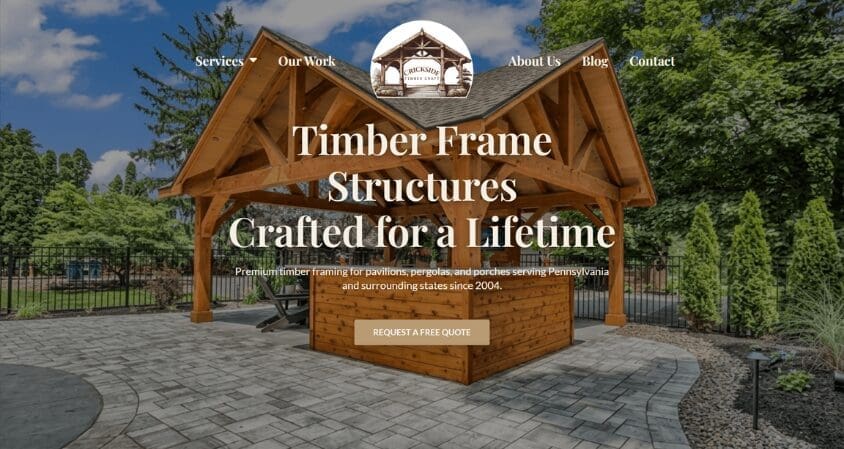
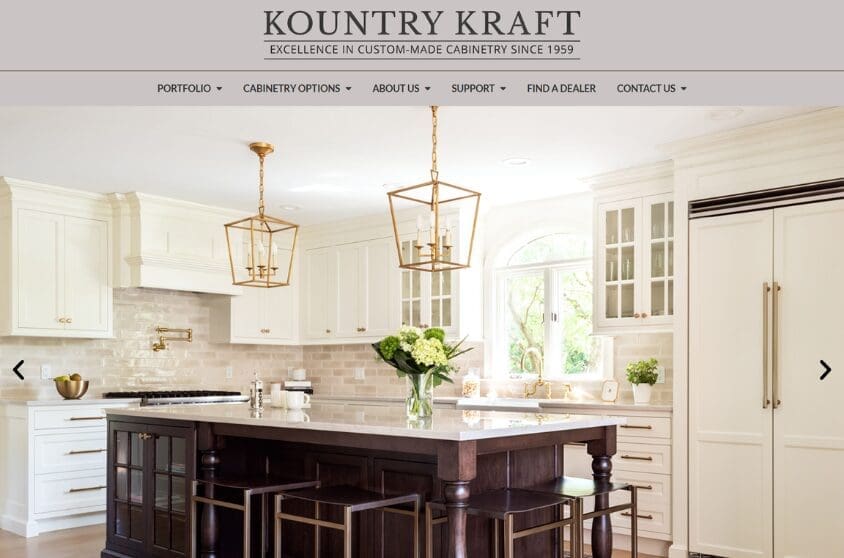
These are a few sites we’ve rebuilt on this stack. Open them on your phone, or run them through PageSpeed Insights yourself.
Signs It’s Time to Rebuild on a Modern Stack
If two or more of these describe your site, another redesign on the same platform will likely cost money without fixing the real problem.
- It fails Google’s speed tests on mobile. Google’s Core Web Vitals call a page “good” when Largest Contentful Paint is under 2.5 seconds, and Interaction to Next Paint is under 200 milliseconds. Run your homepage through Google PageSpeed Insights to check.
- Updates keep breaking things. You hold your breath every time you click “update all.”
- You need a stack of plugins to do basic jobs. The count matters less than the overlap, but more plugins mean more conflicts.
- Simple edits need a developer. Changing a phone number shouldn’t require a support ticket.
- You’ve been hacked, or you get regular malware warnings. Old sites often hide backdoors that are safer to leave behind entirely.
- You need features your setup can’t handle well. Online booking, member logins, or CRM and donor database connections pile on more plugins.
When a Redesign Still Makes Sense
A rebuild isn’t always the answer. If your site already runs on a modern platform and performs well, a redesign is the faster path. The same goes for organizations deeply tied to WordPress, such as a large WooCommerce store or an in-house team trained on its editor, where switching costs may outweigh the gains. We’ll tell you honestly if that’s you.
How to Protect Your Rankings When Moving Off WordPress
The biggest risk in any rebuild is losing search visibility. When page addresses change without a plan, visitors and Google hit dead pages, and the authority those pages earned stops passing to the new site. Google’s site move guidance notes that some ranking fluctuation after a move is normal. The goal is to keep it small and short.
- Inventory every URL first. Crawl your current site with a tool like Screaming Frog and export your top pages from Search Console.
- Move your content, not just your design. Posts, pages, and images are exported from WordPress and imported into the new content editor, so nothing is retyped by hand.
- Map each old URL to its closest new page. Each gets a 301 redirect, set directly in the site’s configuration rather than a plugin. Never send everything to the homepage.
- Keep what’s working on your best pages. Pages that rank well keep a similar H1, core content, and internal links.
- Test before launch, then watch for 30 days. Check redirects on a preview site, submit your new XML sitemap at launch, and check Search Console daily for 404 spikes.
What You Can Handle vs. When to Call a Pro
Tasks Most Business Owners Can Do
- Content audit: List your pages and posts and mark each as keep, update, combine, or delete.
- Plugin inventory: Write down what each plugin does for you. That list becomes the feature list for your new site.
- Goals: Decide what a conversion means for you: a call, a quote request, a donation, or a signup.
Tasks for Confident DIYers
- Speed baseline: Run your top five pages through PageSpeed Insights and save the scores to compare after launch.
- Image prep: Gather your best photos at full size. The new site handles resizing and modern formats automatically.
- Form testing: Submit every form on your current site so you know which ones actually work.
When to Call a Professional
- The platform move itself: Exporting content, rebuilding features without plugins, and setting up the new editor.
- Redirect mapping: One bad rule can send hundreds of pages to the wrong place.
- Accessibility: Building pages that meet WCAG 2.2 AA guidelines on real phones and screen readers.
- Red flags requiring immediate professional attention: malware warnings from Google or your host, a white screen after an update, a sharp drop in search impressions, or forms that silently stop sending.
Common Website Rebuild Mistakes to Avoid
1. Redesigning to Fix a Platform Problem
What people do wrong: Pay for a fresh WordPress theme to fix slow load times, broken updates, or security scares.
Why it’s a problem: The plugins, builder code, and server upkeep that caused those issues stay put, so the problems return.
The right approach: Diagnose first. If the issues are technical, fix the foundation.
2. Confusing an Agentic Build With an AI Website Generator
What people do wrong: Assume any “AI-built” site is the same, and pick a one-click AI website generator to save money.
Why it’s a problem: Instant generators produce generic templates with little strategy, SEO structure, or human review. You often end up locked into their platform.
The right approach: Look for a developer who uses AI agents as tools, plans your site around your goals, reviews every change, and gives you code you own.
Conclusion
If your site’s problems are cosmetic, a redesign fixes them. If they come from plugins, page builders, and constant upkeep, a new look won’t last. A rebuild on an agentic stack gives you a faster, more secure site that’s easier to edit, and at BURK Digital it costs the same as a redesign.
Start by running your homepage through PageSpeed Insights and counting how many plugins your site depends on. If either number worries you, we’re happy to take a look. Contact us for a website review.
Service Area: Lancaster, Lititz, Ephrata, Manheim, Mount Joy, Elizabethtown, Columbia, Intercourse, Strasburg, Gap, Honey Brook, Millersville, Landisville, Leola, New Holland
Frequently Asked Questions
What is the difference between a website redesign and a rebuild?
A redesign changes how your site looks while keeping the same platform, such as WordPress. A rebuild replaces the platform, code, and content system. Redesigns fix presentation; rebuilds fix the foundation.
Is WordPress bad for small business websites?
No, but it comes with ongoing costs. Most features depend on third-party plugins that need regular updates, and plugins are the most common source of WordPress security issues. For many small businesses, a modern stack delivers the same features with less upkeep.
Can I still edit my own website without WordPress?
We can customize a dashboard based on your editing needs. This means you can update text, photos, events, and blog posts yourself. It’s simpler than the WordPress dashboard because the design can’t break while you edit.
Will moving off WordPress hurt my Google rankings?
A well-planned move keeps ranking loss small and temporary. Google notes that some fluctuation after a site move is normal. The key protections are a 301 redirect for every old URL, keeping strong content on your top pages, and watching Search Console for 30 days.
How much does it cost to rebuild a website in 2026?
Prices vary widely across the industry. At BURK Digital, pricing depends on the size and scope of your site, not whether it’s a redesign or a rebuild. Packages start at $1,500 for a single page, $3,000 for a multi-page site, and $5,500 for larger sites with custom features.
How long does a website rebuild take?
Most rebuilds take 3–6 weeks, covering planning, content migration, redirect mapping, and testing. AI-assisted development shortens the build itself. Late content and photos are the most common cause of delays.
What happens to my content when I leave WordPress?
It comes with you. Pages, blog posts, and images are exported from WordPress and imported into the new editor. A move is also a good time to cut outdated pages, as long as each removed page redirects to a relevant new one.
Related Resources
- Website packages and pricing
- Page Speed and Core Web Vitals: How Slow Sites Lose Sales
- Contact BURK Digital
- Check Out Our Work
Sources
- Google Search Central: Site moves with URL changes: Redirect guidance and expected ranking fluctuation during migrations.
- web.dev: Web Vitals: LCP and INP thresholds.
- Patchstack: State of WordPress Security: Share of WordPress vulnerabilities found in plugins.
- PHP: Supported Versions: End-of-life dates for PHP 8.1 and 8.2.
